🔧 Troubleshooting India 2026 Step-by-Step Fixes Updated: Oct 2026 · 15 min read
5 Common TWS Earbud Problems in India — Causes and Actual Fixes (2026)
Most TWS earbud problems in India that people Google in a panic — one side went silent, the earbuds won't connect, the case has stopped charging — are not hardware failures. They are software glitches, oxidised contacts, blocked ear tips, or Android battery optimisation aggressively killing Bluetooth processes. The fix is usually 2–3 steps and takes under 5 minutes.
This guide covers the five most common problems specifically as they occur in India, with Indian hardware — boAt Airdopes, Noise earbuds, Realme Buds — and in Indian conditions, where monsoon humidity, heat and dust create failure patterns that Western troubleshooting guides simply don't account for.
Work through the relevant problem section step by step, in the order given. The steps are arranged from simplest to most drastic — try each one before moving to the next. If you reach the end of a section without a fix, the last step tells you how to claim warranty in India.
Problem 1 — TWS earbud one side not working, low volume or no sound India
This is the most common TWS earbud problem in India, accounting for roughly 40% of all support requests. One earbud goes completely silent, or produces noticeably lower volume than the other side. Before assuming the earbud has failed, understand what is actually happening — because in most cases it has not.
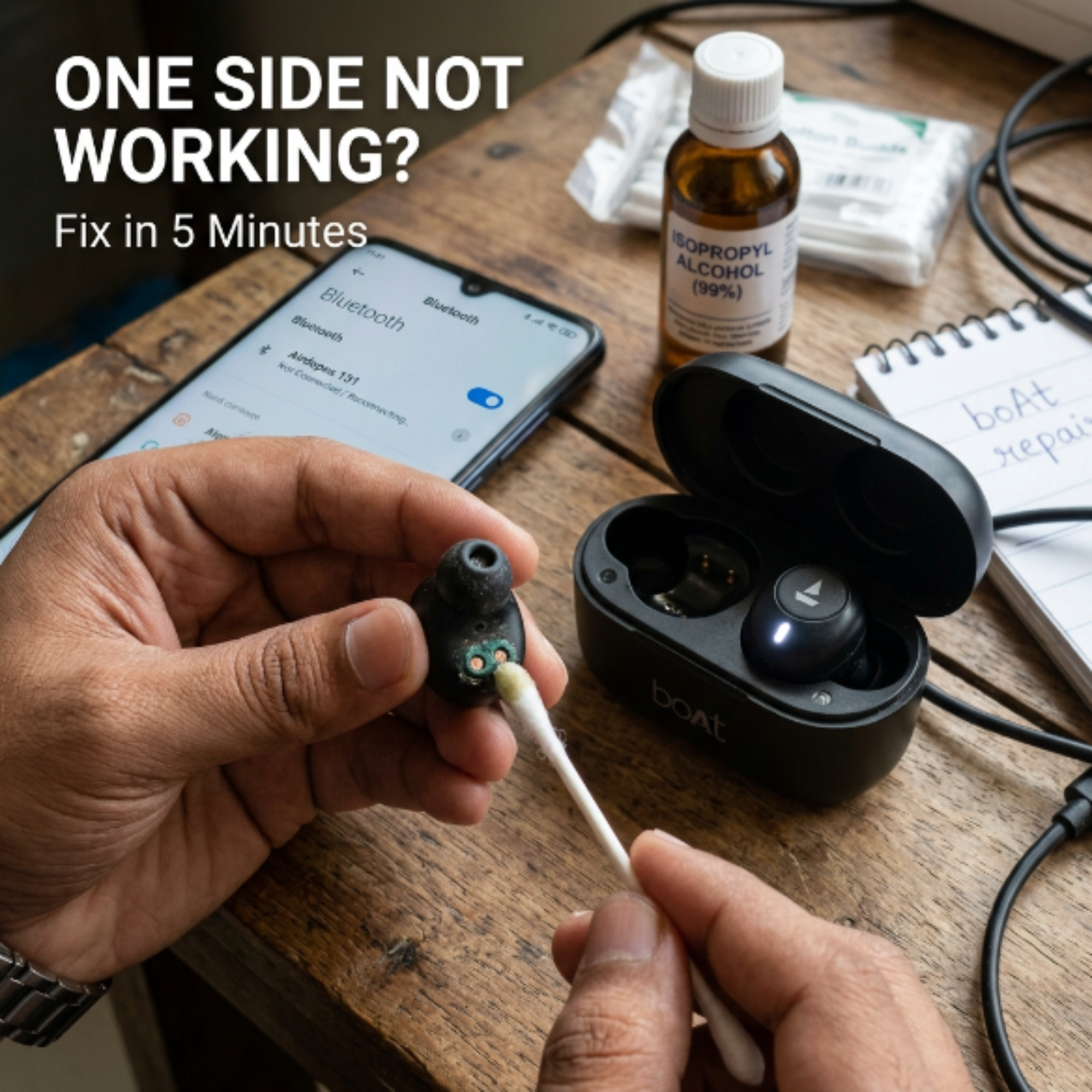
Why this happens: The two earbuds sync via Bluetooth — left follows right (or vice versa, depending on brand). If the sync breaks — usually after a failed firmware update, case contact issue, or Bluetooth stack glitch on Android — one earbud stops receiving the audio signal. This is a software state, not a hardware failure, and it is fully reversible in most cases.
1
Case reset — try this first
Place both earbuds back in the charging case. Close the lid. Wait 30 seconds. Open the lid and remove both earbuds. They should re-enter pairing mode and reconnect. This resolves the sync issue in approximately 40% of one-side cases without any further steps.
2
Forget and re-pair from scratch
Go to your phone's Bluetooth settings. Find the earbuds in your paired devices list. Tap the info/gear icon and select "Forget" or "Unpair." Now remove the earbuds from the case, hold the touch panel on both for 3 seconds until they enter pairing mode (LED flashes), and pair fresh as if it is a new device. This clears corrupted pairing data, which is the second most common cause of one-side failure.
3
Factory reset both earbuds
This is the most effective software fix and works for boAt, Noise and Realme earbuds. Place both earbuds in the case with the lid open. Hold the touch panel on both earbuds simultaneously for 10 seconds. You will see the LEDs flash rapidly and hear a reset tone. The earbuds return to factory state and enter pairing mode. Forget the device on your phone and pair fresh. This resolves one-side issues in approximately 85% of non-hardware cases.
boAt-specific: The reset gesture for Airdopes 141 is holding both touch panels for 10 seconds while earbuds are outside the case. A voice prompt says "Power off."
4
If only lower volume (not silent) — check the ear tip
If one side sounds quieter rather than completely silent, earwax or debris blocking the ear tip mesh is a very common cause. Remove the silicone ear tip by pulling it off the nozzle. Inspect the mesh underneath with a flashlight. Use a dry toothpick or fine pin to gently clear any blockage from the mesh holes. Do not push debris inward — work from the outer face of the mesh. Replace the ear tip and test.
5
Clean the charging contacts
In Indian humidity, the metal charging contacts on both the earbud stem and inside the case oxidise and develop a thin non-conductive film. This prevents one earbud from charging fully, which presents as "one side battery dead" rather than a sync issue. Look at the metal dots on the earbud stem and the pins inside the case. Use a cotton bud lightly dampened with a tiny amount of isopropyl alcohol (rubbing alcohol). Wipe the contacts, let dry for 2 minutes, then replace the earbuds and charge for 30 minutes before testing.
This is especially important if the problem started or worsened after monsoon season or prolonged humid conditions.
⚑
If none of the above worked — claim warranty
One side remaining silent after a complete factory reset and contact cleaning is a hardware failure. If the earbuds are under 1 year old, this is covered under manufacturer warranty. For boAt: WhatsApp support at their official number or boat-lifestyle.com/pages/support with a short video showing the issue and your purchase invoice. For Noise: gonoise.com/pages/support. Keep your Amazon/Flipkart invoice — claims without proof of purchase are routinely rejected.
Problem 2 — TWS earbud connection keeps dropping India, audio cuts in and out
Intermittent disconnection — audio cutting out every few minutes, earbuds temporarily going silent and reconnecting — is the second most common complaint. In India specifically, this problem has some unique causes that standard fixes don't address.
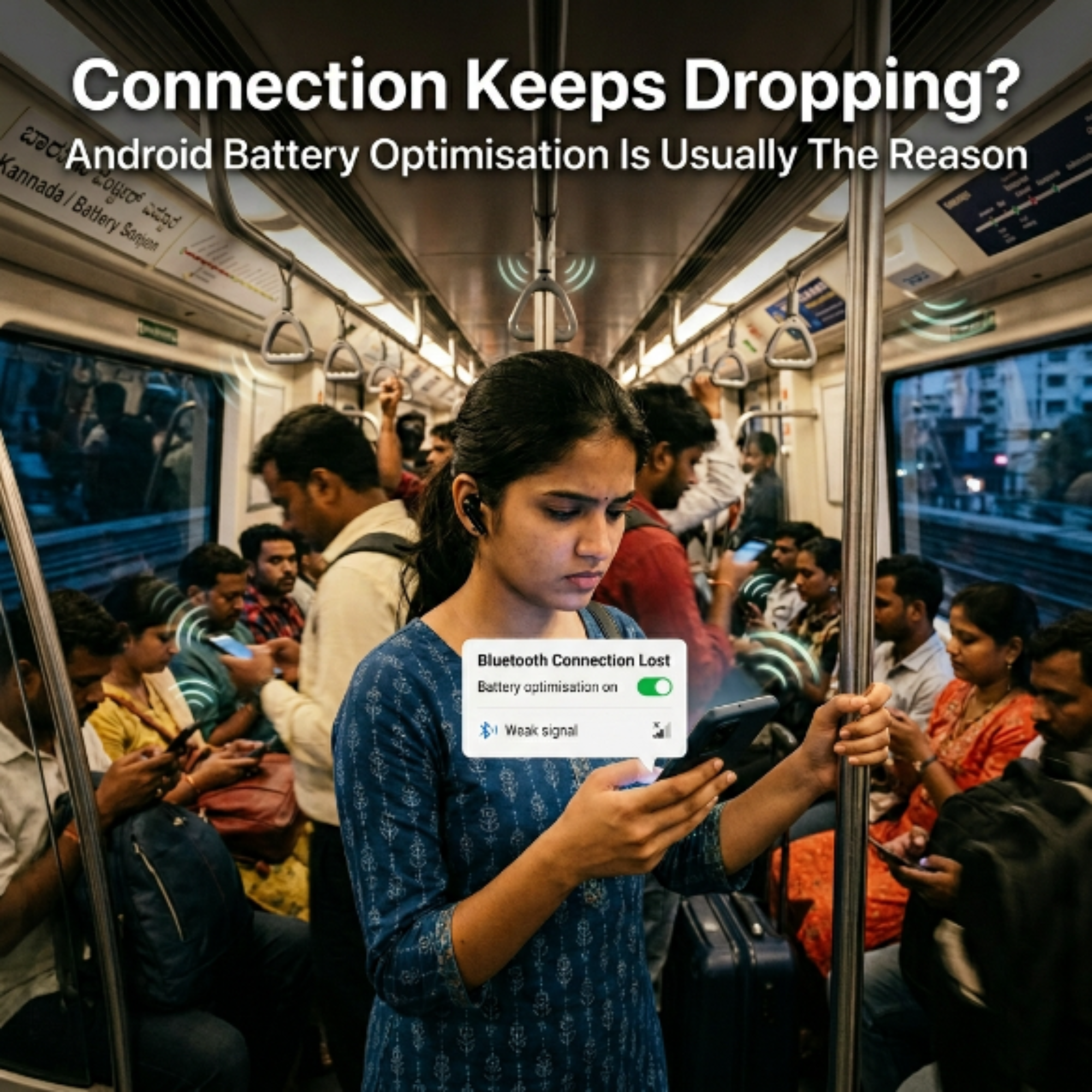
Indian-specific cause you won't see in Western guides: Android's aggressive battery optimisation in Indian-market phones — especially Redmi, Realme and some Samsung models — kills Bluetooth processes in the background to save battery. This is not a bug; it is the phone optimising against your earbuds. It is the single most common cause of intermittent disconnection in India that has nothing to do with the earbuds themselves.
1
Disable battery optimisation for Bluetooth — Android
On Android: Settings → Battery → Battery Optimisation → All Apps → find "Bluetooth" → set to "Don't optimise." On Redmi/Xiaomi: Settings → Apps → Manage Apps → System Apps → Bluetooth → Battery Saver → set to No restrictions. On Realme/OnePlus: Settings → Battery → App Energy Saver → find Bluetooth → set to Unrestricted. This single step fixes intermittent disconnection in most Indian Android phones.
2
Clear the Bluetooth cache
Settings → System → Reset Options → Reset Wi-Fi, Mobile & Bluetooth → confirm. This clears the Bluetooth stack cache, which accumulates corrupted pairing data over time and causes intermittent failures. You will need to re-pair all your Bluetooth devices afterwards — it is worth the 2-minute effort. This fixes connection dropping in cases where battery optimisation was not the cause.
3
Check for interference sources
Bluetooth 5.x operates at 2.4GHz — the same band as Wi-Fi routers, microwave ovens and most IoT devices. In an Indian flat with 8–15 active Wi-Fi networks visible from your apartment, 2.4GHz congestion is real. Test this: move to a different room or step outside and see if the disconnections stop. If they do, the problem is RF interference, not the earbuds. Solutions: switch your Wi-Fi router to 5GHz band, or move the phone closer to the earbuds during use to improve signal margin.
4
Enable Game Mode for BGMI and gaming apps
If connection drops specifically during BGMI, FreeFire or other games — not during music — the issue is the gaming app competing for Bluetooth bandwidth. Enable Game Mode on your earbuds (triple tap right earbud on boAt 141; via HeyMelody app on Nord Buds 2). Game Mode uses a dedicated low-latency connection protocol that is more stable during intense app activity. This is not just about latency — it also significantly reduces mid-game disconnections.
5
Factory reset both earbuds
If battery optimisation, cache clearing and interference checks did not resolve the issue, a full factory reset of the earbuds is the next step. See the reset steps in Problem 1 (Step 3 above) — the process is the same for all brands. After the reset, re-pair fresh and test in a different location to rule out environmental interference.
Factory Reset Steps — boAt, Noise and Realme (Quick Reference)
boAt Airdopes 141 Gen 2
Take both earbuds out of case → hold both touch panels 10 seconds simultaneously → LED flashes + "Power off" voice prompt → auto-enter pairing mode → forget on phone → re-pair fresh
Noise VS104 Max
Place in case → take out → hold both touch panels 8 seconds → LED flashes rapidly → forget on phone → re-pair. Alternatively: hold right earbud 8 sec while left is in case, then repeat for left.
Realme Buds T100
Place both in case (lid open) → hold case button 10 seconds → LED flashes white 3 times → earbuds re-enter pairing mode → forget on phone → pair fresh
OnePlus Nord Buds 2
Place both in case → hold both touch panels simultaneously for 5 seconds → LED blinks white rapidly → remove and pair via HeyMelody app or Bluetooth settings
Problem 3 — TWS earbuds charging case not charging India
The charging case stopped charging — either the earbuds are not charging inside the case, or the case itself is not taking charge from the cable. This problem has a higher-than-average rate in India, specifically because of two factors: monsoon humidity and the quality of USB-C cables typically used with these cases.
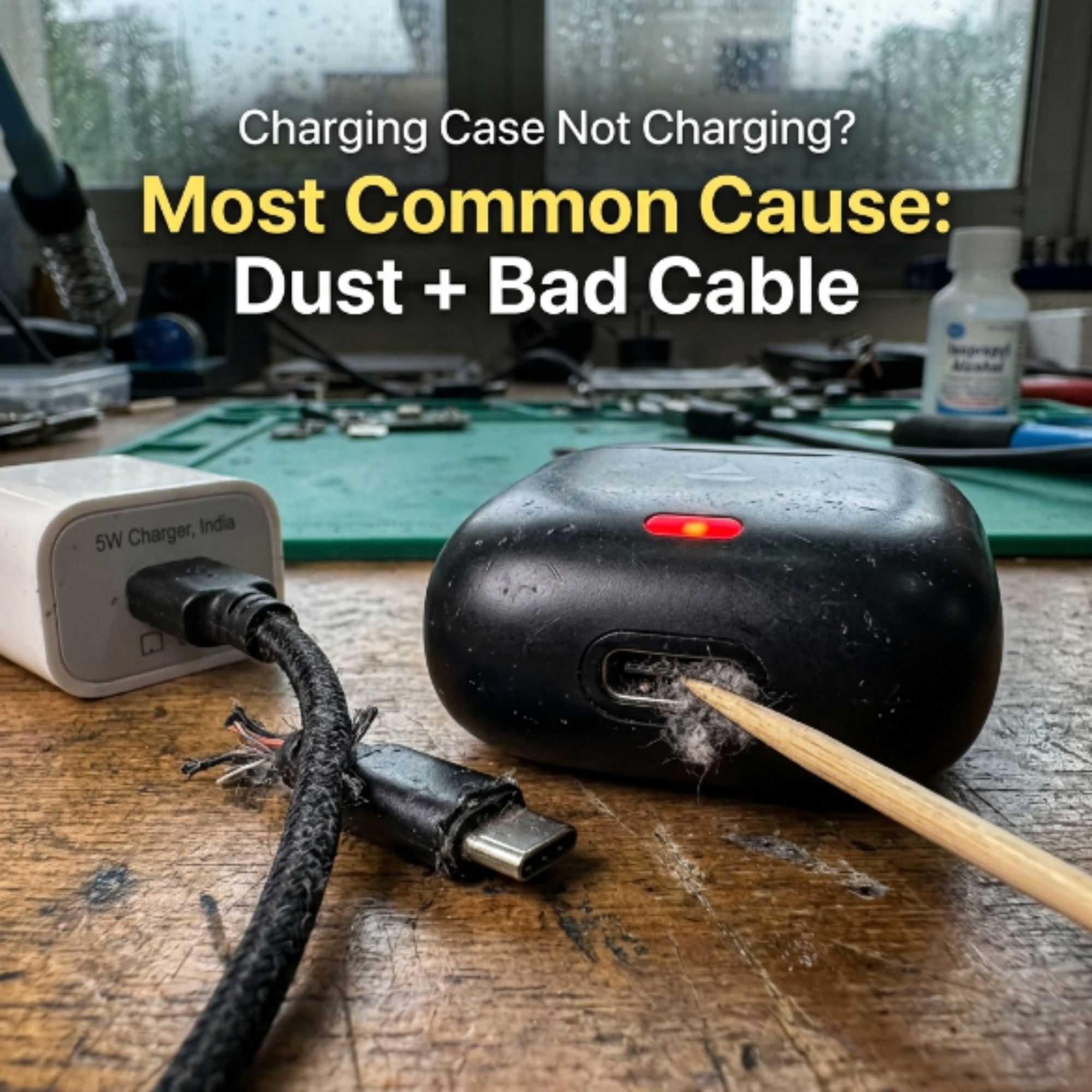
India-specific warning: Never use a fast charger (18W, 25W, 65W) to charge an earbuds case. The case battery is a small lithium cell typically rated for 5V/1A (5W). Overvoltage from fast chargers can permanently damage the case battery cell or the charging circuit. Use a basic 5W charger or a laptop USB port — both are safe.
1
Clean the USB-C port — this is the most common fix
Indian conditions — pockets full of fabric lint, desk dust, bag debris — fill USB-C ports faster than any other geography. Shine a flashlight into the case port. If you can see lint or debris, use a wooden or plastic toothpick (never metal) to gently loosen and lift it out. Do not insert tools deeply. After clearing, try charging again. A blocked USB-C port is responsible for a majority of "case not charging" complaints that turn out to need no repair at all.
2
Try a different USB-C cable
The short cable that comes in the box with most Indian budget earbuds is the lowest-spec USB-C cable available. After 3–4 months of daily use, the connector pins wear and the cable stops delivering consistent current. Swap it for any good-quality USB-C cable and test. If charging resumes, throw away the original cable. This is an exceptionally common fix that nobody tries first.
3
Clean the case charging contacts (earbuds not charging inside case)
If the case charges from the cable but the earbuds don't charge when placed inside, the metal contact pins inside the case have oxidised. This is especially common after monsoon season. Dampen a cotton bud with the smallest amount of isopropyl alcohol (rubbing alcohol). Gently swab each contact pin inside the case. Also swab the corresponding contacts on the earbud stem. Allow to dry completely — at least 3 minutes — before placing earbuds in the case. Charge for 30 minutes and check LED status.
Oxidised contacts are the most common cause of "case not charging earbuds" in India — far more common here than in drier climates.
4
Check the water damage indicator
Most earbuds cases have a small water damage indicator — a tiny paper strip near the USB-C port that turns pink or red if water has entered. Look inside the port with a flashlight. A red or pink strip means moisture has reached the charging circuit, which can cause permanent damage to the case battery management IC. If you see this, do not attempt to charge. Leave the case open in a dry room for 24–48 hours. If it still doesn't charge after drying, the case needs service.
5
Case completely dead — deep discharge recovery
If the case was left uncharged for 2–3 months and the battery fully discharged, lithium cells in this state sometimes require a "trickle charge" recovery. Plug in with a 5W charger and leave for 4–6 hours without checking. The battery management circuit needs slow low-current input to wake a fully discharged cell. Do not check or touch during this period. If the LED still shows nothing after 6 hours, the cell is permanently over-discharged and the case needs replacement or service.
Problem 4 — TWS earbud mic not working on calls India
Callers can hear you poorly, not at all, or intermittently. You can hear them fine through the earbuds, but your voice is not reaching them clearly. This problem is almost entirely a software and settings issue — the mic hardware rarely fails independently. Here is the diagnostic tree.
1
Check Bluetooth audio output during the call
This is the most common and most overlooked cause. During an active call, pull down the Android notification bar. Find the audio output selector. Make sure it shows "Bluetooth headset" or your earbuds name — not "Speaker" or "Earpiece." Many Android phones default to the phone's built-in mic even when earbuds are connected for music. The mic switch is separate from the audio output switch and must be set manually on some Android versions.
2
WhatsApp-specific fix — disable background noise reduction
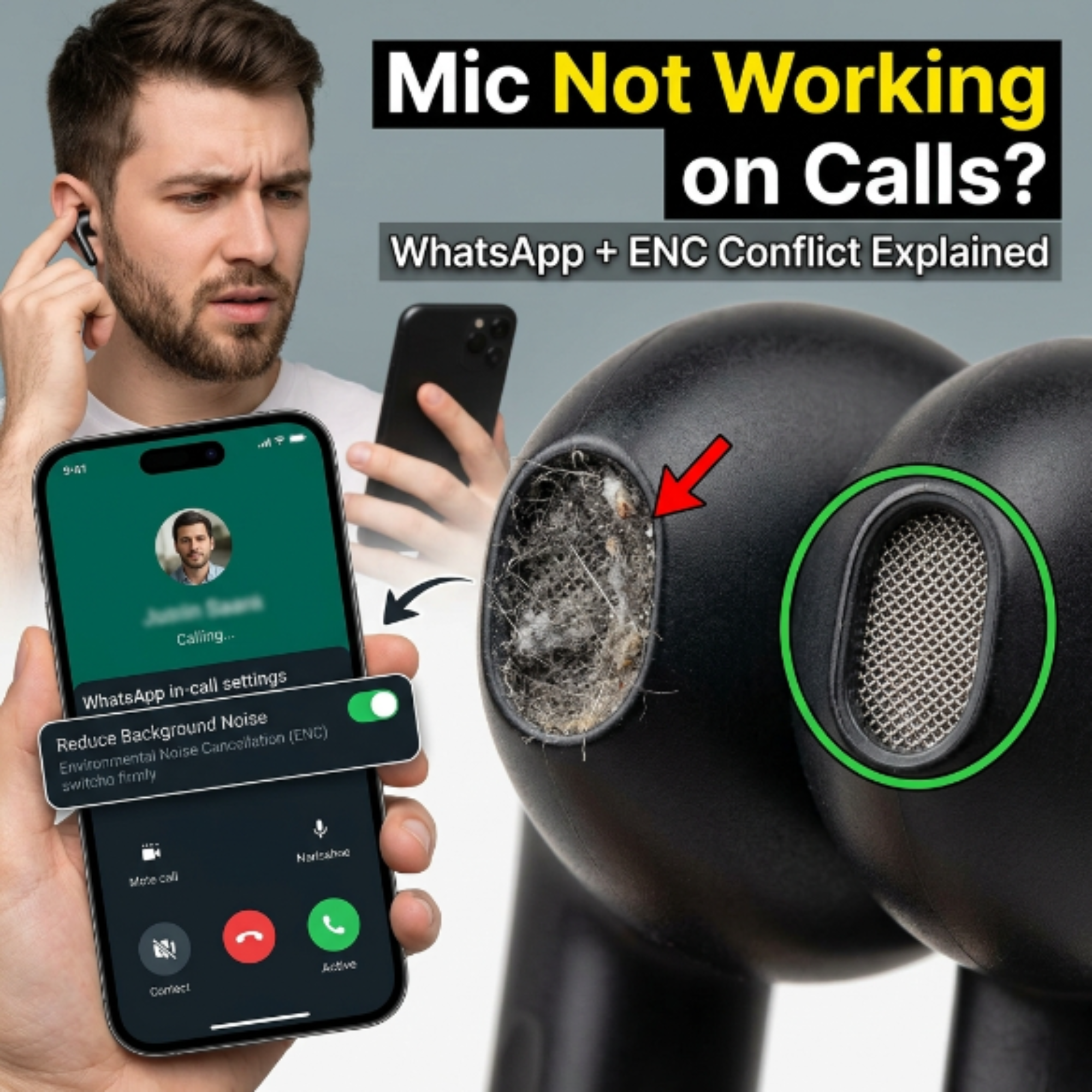
WhatsApp has its own noise reduction algorithm that runs alongside the earbuds' ENC. When both are active, they can cancel each other and cut your voice entirely. WhatsApp Settings → Privacy → Calls → disable "Reduce background noise." This is a surprisingly common cause of "my voice doesn't come through on WhatsApp calls" specifically with ENC-equipped earbuds like the Noise VS104 Max.
3
Disconnect and reconnect during an active call
Some Android Bluetooth profiles glitch at call initiation — the phone connects the A2DP profile (music) but misses the HFP profile (headset, which includes the mic). During an active call, go to Bluetooth settings, tap the earbuds name to disconnect, then tap again to reconnect. The phone often selects the HFP profile correctly on reconnection and your mic becomes active immediately.
4
Check mic hole for debris
The mic on most TWS earbuds is a tiny hole on the earbud stem — often confused with a vent hole or touch sensor. On the boAt Airdopes 141 stem, it is the small hole approximately 4mm from the base. Look for lint, dust or earwax. Use a dry toothpick to gently clear it. Do not insert anything wet — moisture in the mic cavity can cause permanent corrosion.
5
Factory reset + check if mic worked from day one
If the mic has never worked since purchase — not a regression but a day-one issue — claim warranty immediately. This is a manufacturing defect and does not require any troubleshooting. If the mic worked previously and stopped working after a specific event (getting wet, a drop), document that event for the warranty claim.
Problem 5 — Touch controls not responding or triggering wrong actions India
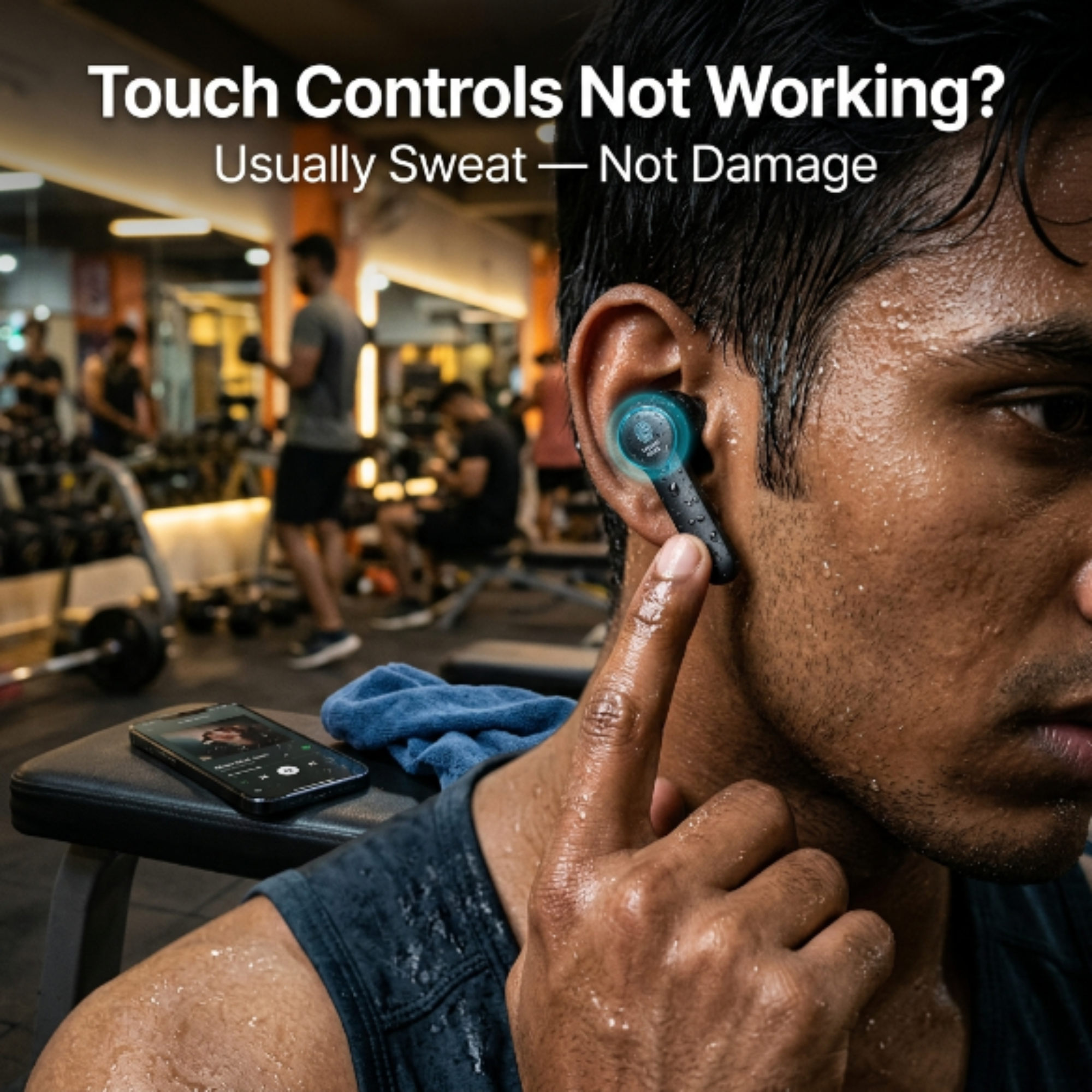
Touch controls malfunctioning — not responding at all, triggering the wrong action, or activating by themselves — is the fifth most common problem and the one with the most varied causes. Sweat, water, and software state are the three main culprits.
1
Dry the touch surface — sweat is the most common cause
Capacitive touch panels — the same technology as smartphone screens — malfunction when wet. After a gym session or walking in rain, sweat or water on the touch surface causes phantom touches and non-responsiveness. Wipe the earbud stem dry with a clean cloth, leave the earbuds out of the case for 10 minutes, then test the touch controls. This resolves the majority of touch problems that occur after exercise in India.
2
Check if mono mode is stuck
Mono mode — using only one earbud — disables some touch controls on the dormant earbud. If you accidentally enabled mono mode, the controls on the "inactive" side stop working. To exit: place both earbuds back in the case simultaneously, close the lid for 10 seconds, then remove both. This resets the L-R balance and both sets of touch controls become active again.
3
Verify the touch gesture — you may be doing it incorrectly
This sounds obvious but is a genuine common cause of "touch controls not working" support requests. The touch zone on TWS earbuds is often smaller and more specific than users expect. On the boAt Airdopes 141, the touch area is the small flat panel on the outer face of each earbud — not the stem. A touch on the stem registers nothing. Confirm you are tapping the correct surface and that the tap timing matches the required gesture (single, double, or triple tap).
4
Factory reset to recalibrate touch sensitivity
Over time, the touch panel firmware can drift — especially after a partial firmware update or after the earbuds experienced a temperature shock (hot car to air-conditioned room). A factory reset restores the touch sensitivity calibration to factory baseline. Use the reset steps in the Problem 1 section above for your specific brand.
5
Persistent phantom touches after drying — physical damage assessment
If touch controls continue triggering randomly after thorough drying and factory reset, moisture has likely reached the touch capacitor inside the earbud. This is a hardware issue that cannot be fixed through software. Assess when the earbuds were last exposed to water — if within the IPX rating (IPX4 for boAt 141, IPX5 for VS104 Max), claim warranty. If the earbuds were submerged or exposed to rain beyond their rating, this is physical damage not covered by warranty.
How to claim warranty for boAt and Noise earbuds in India
If you have worked through the relevant problem steps and the issue persists, warranty service is the correct next step — not trying more fixes. Here is exactly how the process works for the two most popular Indian brands.
🚤 boAt Warranty Claim
- Visit boat-lifestyle.com/pages/support
- Fill the form with purchase details and issue description
- Upload purchase invoice (Amazon/Flipkart order confirmation)
- Upload a short video (15–30 sec) showing the problem
- Walk-in service available at 500+ centres India-wide
- WhatsApp support (search "boAt official WhatsApp") is faster than web form
🔇 Noise Warranty Claim
- Visit gonoise.com/pages/support
- Submit claim with invoice and issue description
- Noise primarily processes online — courier pickup in most cities
- Service centres in top 8–10 cities for walk-in
- Processing time typically 7–10 working days
- Keep invoice — claims without purchase proof are rejected
Important: Water damage is typically not covered under warranty. If you suspect moisture caused the failure and the earbuds were exposed beyond their IPX rating, do not mention the water exposure in the warranty claim — it will be used as grounds for rejection. Describe the symptoms only. The service centre will assess the cause on inspection.
Need a replacement? Shop genuine TWS earbuds at mobile-accessories.in
All brands · Genuine products · Fast delivery India · Same-day Bengaluru · Open 9AM–9PM
Buying guides before your next pair:
Frequently asked questions
Click any question to expand the answer.
How do I fix one side of my TWS earbud not working?
▾
Try these in order: 1) Place both earbuds in the case for 30 seconds, then remove. 2) Forget the device in Bluetooth settings and re-pair from scratch. 3) Hold touch panels on both earbuds for 10 seconds — factory reset. 4) Clean charging contacts inside the case with a cotton bud + isopropyl alcohol. 5) If only lower volume on one side — remove the ear tip and clear any earwax blocking the mesh. If none of these work after a full factory reset, the earbud has a hardware failure — claim warranty within 1 year of purchase.
How to reset boAt Airdopes 141 — exact steps India
▾
To factory reset boAt Airdopes 141 Gen 2: 1) Take both earbuds out of the case. 2) Hold both touch panels simultaneously for 10 seconds. 3) The LEDs will flash and you will hear a "Power off" voice prompt. 4) The earbuds automatically re-enter pairing mode — LEDs flash white. 5) On your phone: Bluetooth settings → find "Airdopes 141" → Forget / Unpair. 6) Pair fresh as a new device. This resolves most connection issues, one-side problems and touch control glitches.
Why does my TWS earbud connection keep dropping on Android India?
▾
The most common cause in India — specifically on Redmi, Realme and Samsung phones — is Android's battery optimisation killing the Bluetooth process. Fix: Settings → Battery → Battery Optimisation → find Bluetooth → set to Don't Optimise or Unrestricted. Also clear Bluetooth cache: Settings → System → Reset Options → Reset Wi-Fi, Mobile & Bluetooth. If the issue occurs specifically during BGMI, enable Game Mode on the earbuds — it uses a dedicated connection protocol that is more stable during gaming.
Why is my TWS earbud charging case not charging India?
▾
Try these steps: 1) Clean the USB-C port with a toothpick to remove lint and debris — this is the most common cause. 2) Try a different USB-C cable — the stock cable fails after 3–4 months. 3) Clean the metal contact pins inside the case with a cotton bud + isopropyl alcohol — oxidised contacts from Indian humidity stop earbuds charging. 4) Check for a red/pink water damage indicator inside the port. 5) Never use a fast charger — case batteries are rated for 5W only. If the LED shows nothing after 6 hours on a known-good 5W charger, the case may need service.
How to fix TWS earbud mic not working on calls India?
▾
First: during an active call, check the notification bar audio output selector — confirm it shows "Bluetooth headset," not "Speaker." Second: if you use WhatsApp, go to WhatsApp Settings → Privacy → Calls → disable "Reduce background noise." This app-level setting conflicts with ENC earbuds and can cut your voice entirely. Third: disconnect and reconnect from Bluetooth settings mid-call to force the HFP headset profile. Fourth: check the mic hole on the earbud stem for lint blockage. If the mic has never worked from day one, claim warranty immediately — this is a manufacturing defect.
How to claim warranty for boAt or Noise earbuds in India?
▾
For boAt: boat-lifestyle.com/pages/support — submit with purchase invoice and a short video of the issue. WhatsApp support (search "boAt official WhatsApp") is typically faster. Walk-in service at 500+ centres India-wide including Bengaluru. For Noise: gonoise.com/pages/support — primarily online with courier pickup; walk-in available in top metros. Both brands honour 1-year warranty for manufacturing defects. Always keep your Amazon or Flipkart purchase invoice — without it, claims are rejected. Do not mention water exposure in the claim form if the earbuds exceeded their IPX rating — describe symptoms only.
Before you give up on your earbuds
Most TWS earbud problems in India that lead to replacement purchases did not need replacement at all. A factory reset fixes a large majority of software state issues. Contact cleaning fixes a significant portion of charging and one-side problems. The steps in this guide resolve the problem in most cases without any repair cost.
If you have tried everything and the earbuds genuinely need replacement — look at the ₹1000 TWS guide before buying the same model again. The reasons a specific model failed for you — particularly if it is a contact oxidation or battery-related issue — may apply to the next unit of the same product as well. The boAt Airdopes 141 Gen 2 and Noise VS104 Max are both available at mobile-accessories.in with genuine stock and same-day delivery in Bengaluru.

